

Built exclusively for preschools
Stay on top of the chaos
other schedulers ignore.
Coverage management built for the daily scramble of a preschool. See every room, fill every gap, and keep the floor staffed without losing the morning to it.
“If all of my staff showed up on time every day, then I don't need Schedule Wrangler. But that's not how our world works, and every preschool administrator knows that.”
Your childcare management app does billing and family messages. Schedule Wrangler keeps the floor staffed.
No credit card required · 1 business day response
You became a director to lead, not to build spreadsheets at midnight.
Your phone buzzes at 6:47 AM. The Toddler lead is out sick, and they were also covering the Infants' breaks and an afternoon TA rotation. You open the Google Doc you rewrite every morning and start tracing the chain.
It's 7:04 AM and you haven't unlocked the front door yet.
Schedule Wrangler traces that chain for you, so coverage is set before you reach the front door.
Without Schedule Wrangler
- The first hour of your day gone to patching coverage, before a kid walks in
- A classroom short-staffed before you even notice
- Scrolling through a messy doc to figure out who's where
- Texting five people to cover a break, half don't reply, one's already in another room
- No idea who's actually in the building right now
With Schedule Wrangler
- Coverage handled before the first kid walks in
- Every short room flagged the moment it happens
- The whole day on one screen, no doc to scroll
- A break covered in one move, no group text
- Exactly who's in the building, right now
This is all we do.
Brightwheel and Procare are billing and parent-comms apps with scheduling tacked on. Schedule Wrangler does one thing: keep every classroom covered when a teacher calls out.
See the gap a day early
Coverage gaps surface the day before, not in tomorrow morning's scramble.
Teachers who stay
More predictable staffing means fewer last-minute classroom moves, steadier routines for the children, and less burnout for the teachers. Good people stay.
Works with what you have
The staffing layer that sits alongside Brightwheel, Procare, or whatever you already use. Your families keep the app they know. No rip-and-replace.
The whole floor on one screen
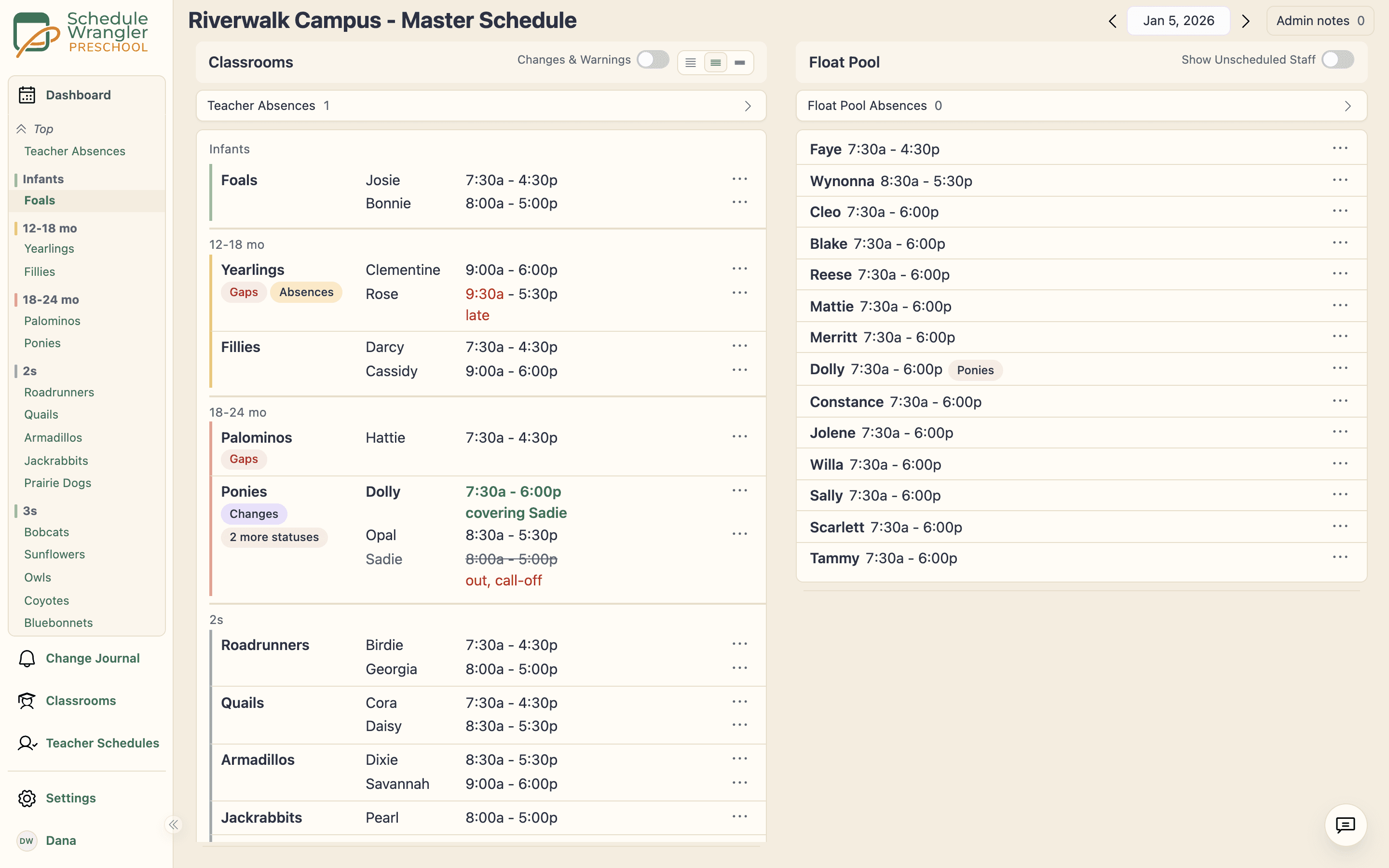
Who's in each room, who called out, who's covering breaks, where the gaps are. One view instead of a Google Doc you rebuild every morning.
Up and running before nap time
Tell us about your center
Classrooms, age groups, required staffing levels. Takes about 15 minutes.
We set up your rooms and staff
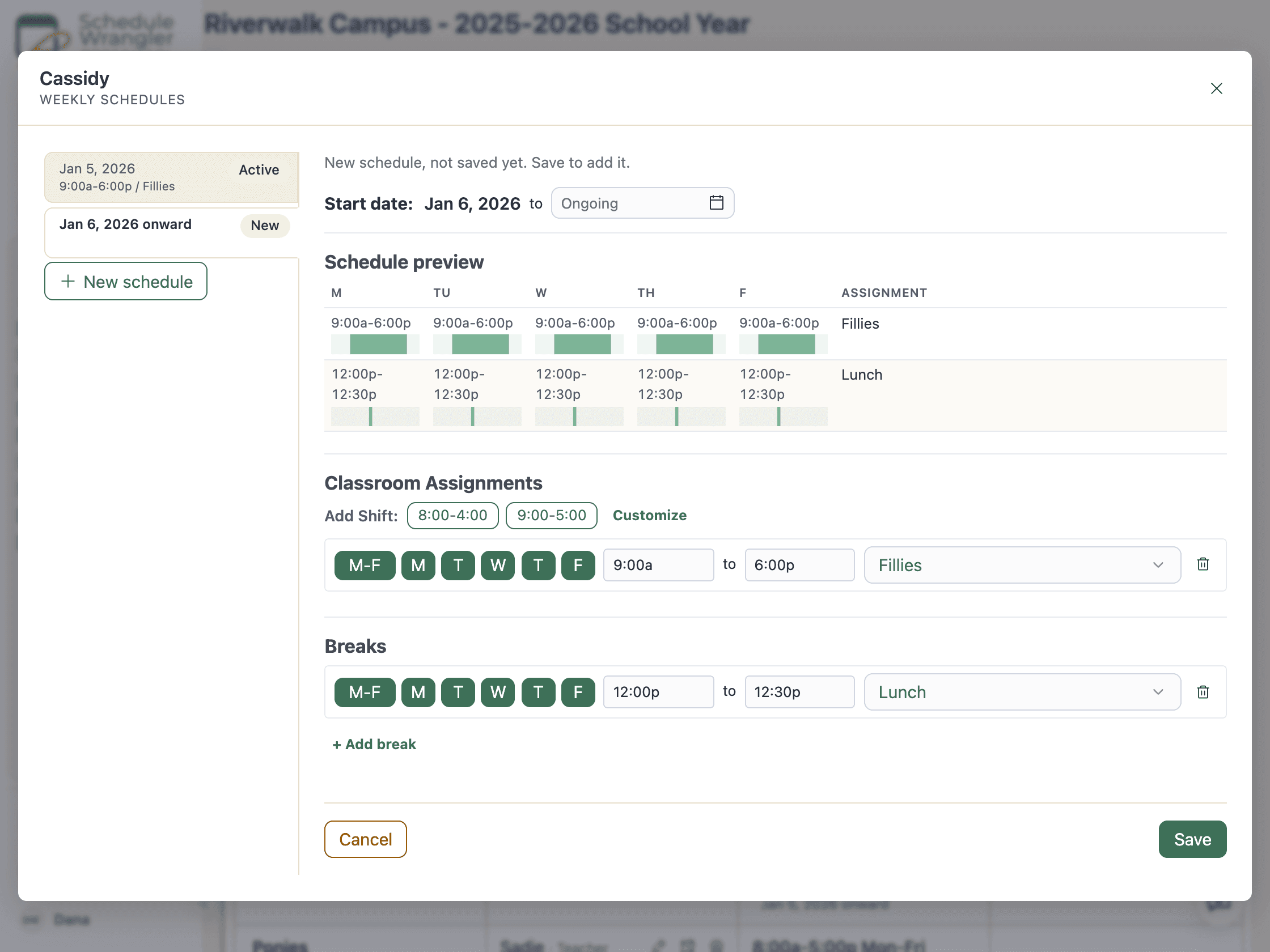
Your classrooms, staff, and break schedules, entered once and visible everywhere. No more rebuilding a doc every morning.
See your coverage at a glance.
Mark an absence, a late arrival, or a reassignment, or just type it to the Scheduling Assistant, and the dashboard instantly shows the gaps or overages it creates. Plan future time off and see the impact before the day arrives.
See how a day runs on Schedule Wrangler
Live coverage
See every room on one screen
Every classroom at a glance, with the gaps already showing in red.
See every room on one screen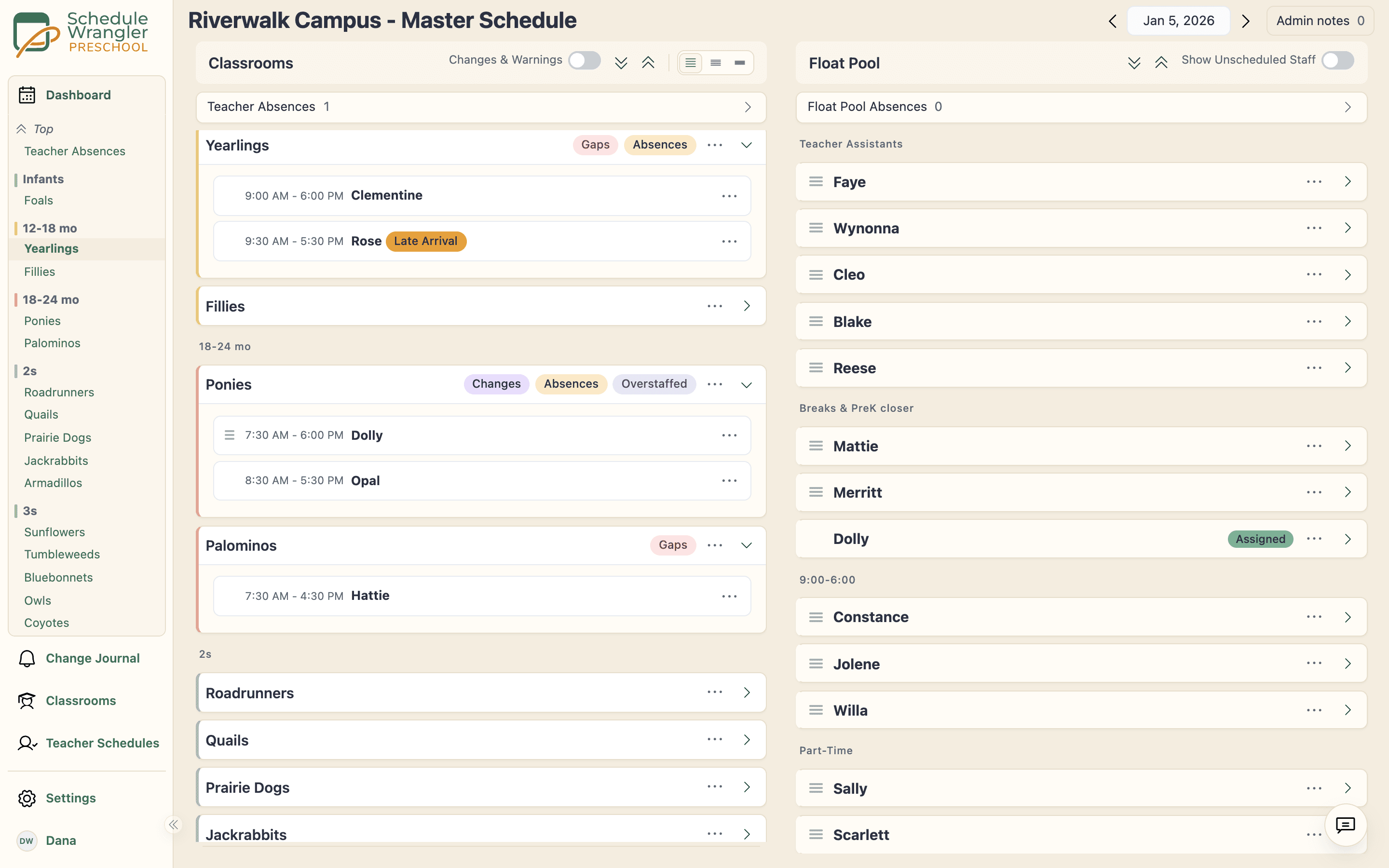
Cover a call-out
Fill a call-out in one move
Move a teacher into the open room in one action, just for today.
Fill a call-out in one move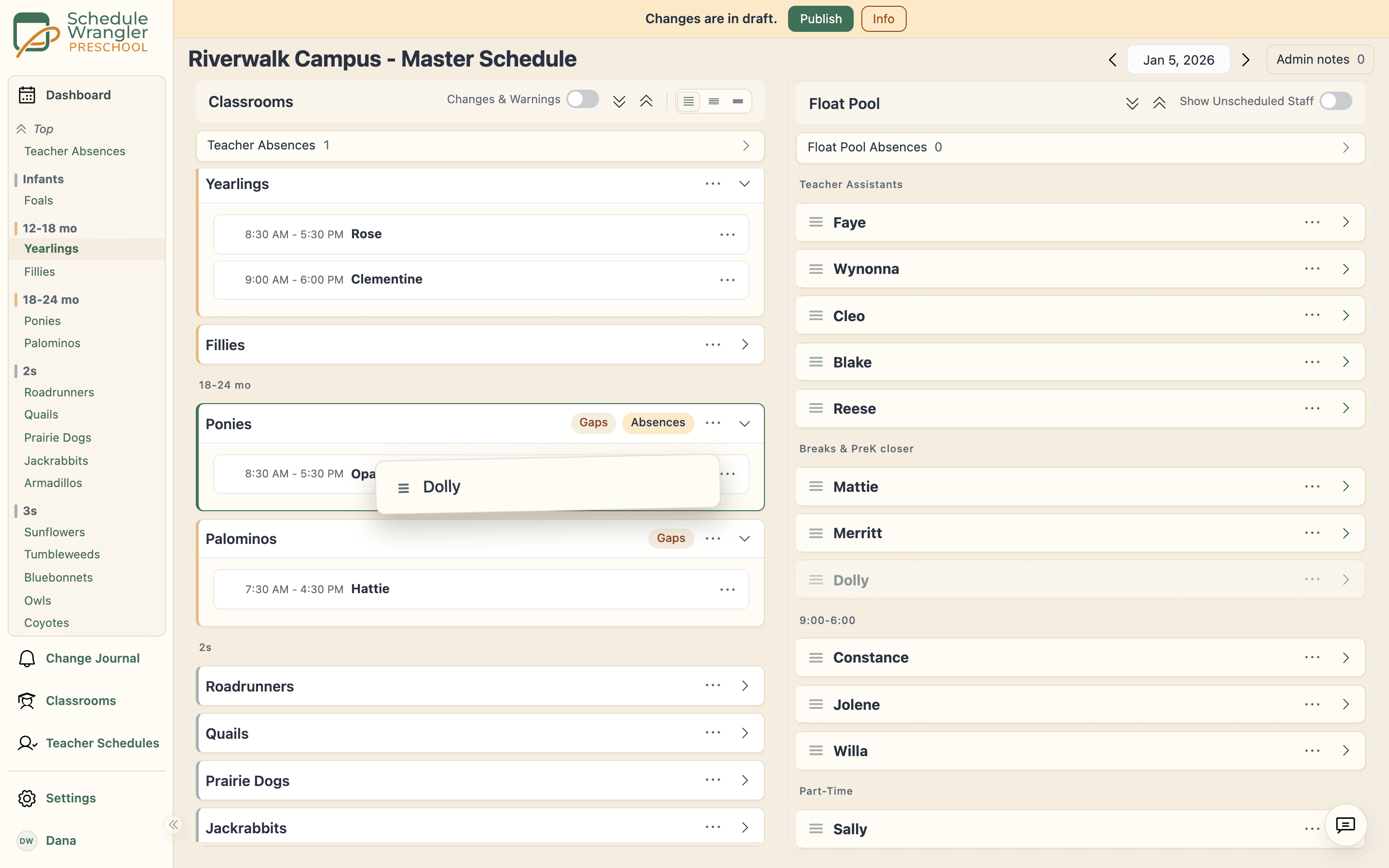
Classroom tablet
The right teacher knows, right away
The change lands on the classroom tablet, and one tap confirms it.
The right teacher knows, right away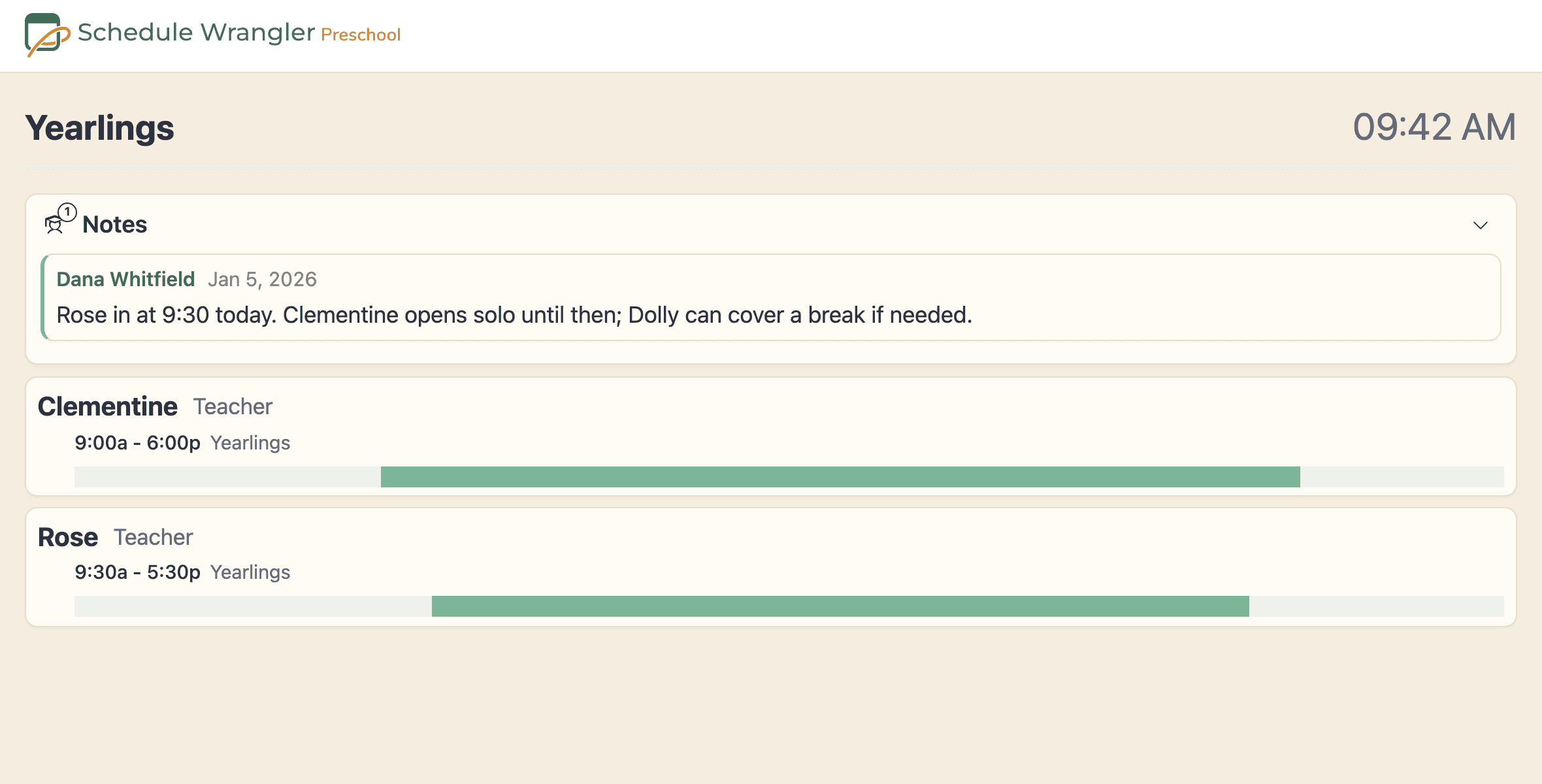
Scheduling Assistant
Tell it who is out. Review the changes it proposes.
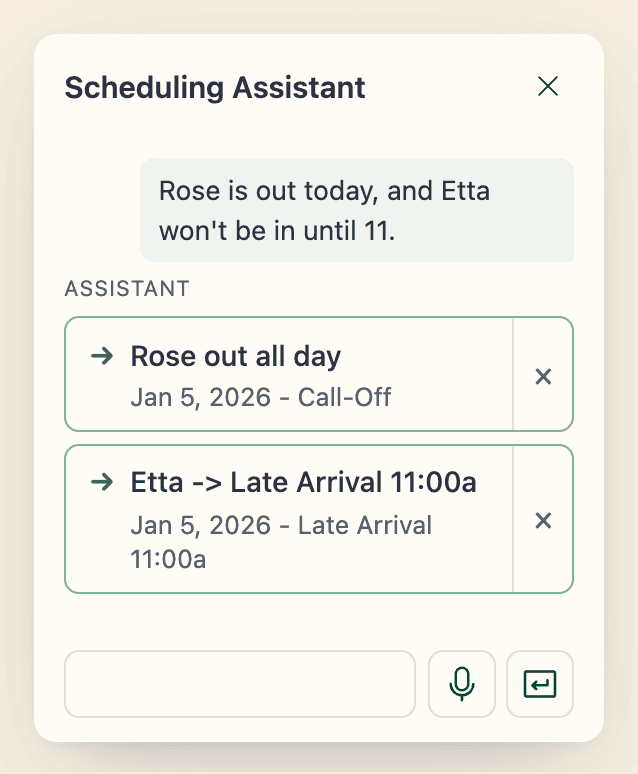
Type it the way you would text a colleague: “Rose is out today, and Etta won't be in until 11.” The Scheduling Assistant finds the people and rooms you mean on your roster and proposes the changes as cards. You look them over and apply the ones you want. Handle today in minutes, and tomorrow your regular schedule is already there.
- Plain words in: absences, late arrivals, a floater into a room, a note for a classroom
- Every change is a card you review, then apply, just like a change you made by hand
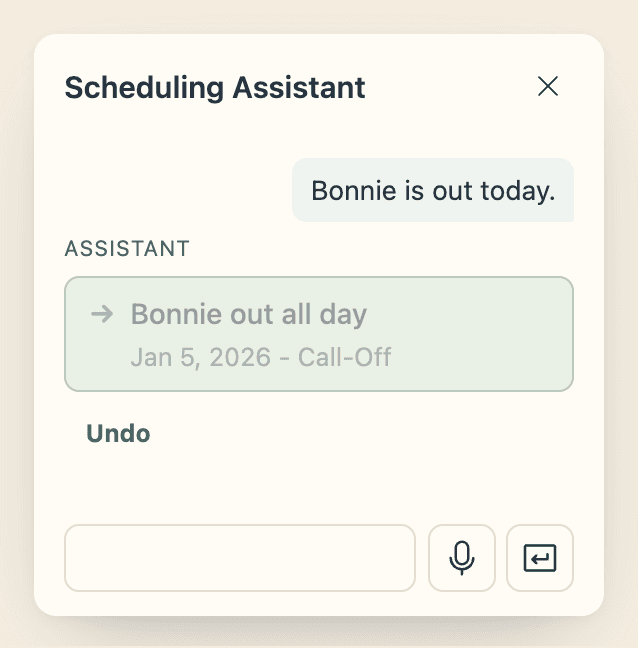
- A single full-day call-out for today applies as soon as you send it, with Undo beside it
- A name it cannot match to your roster gets flagged, not guessed
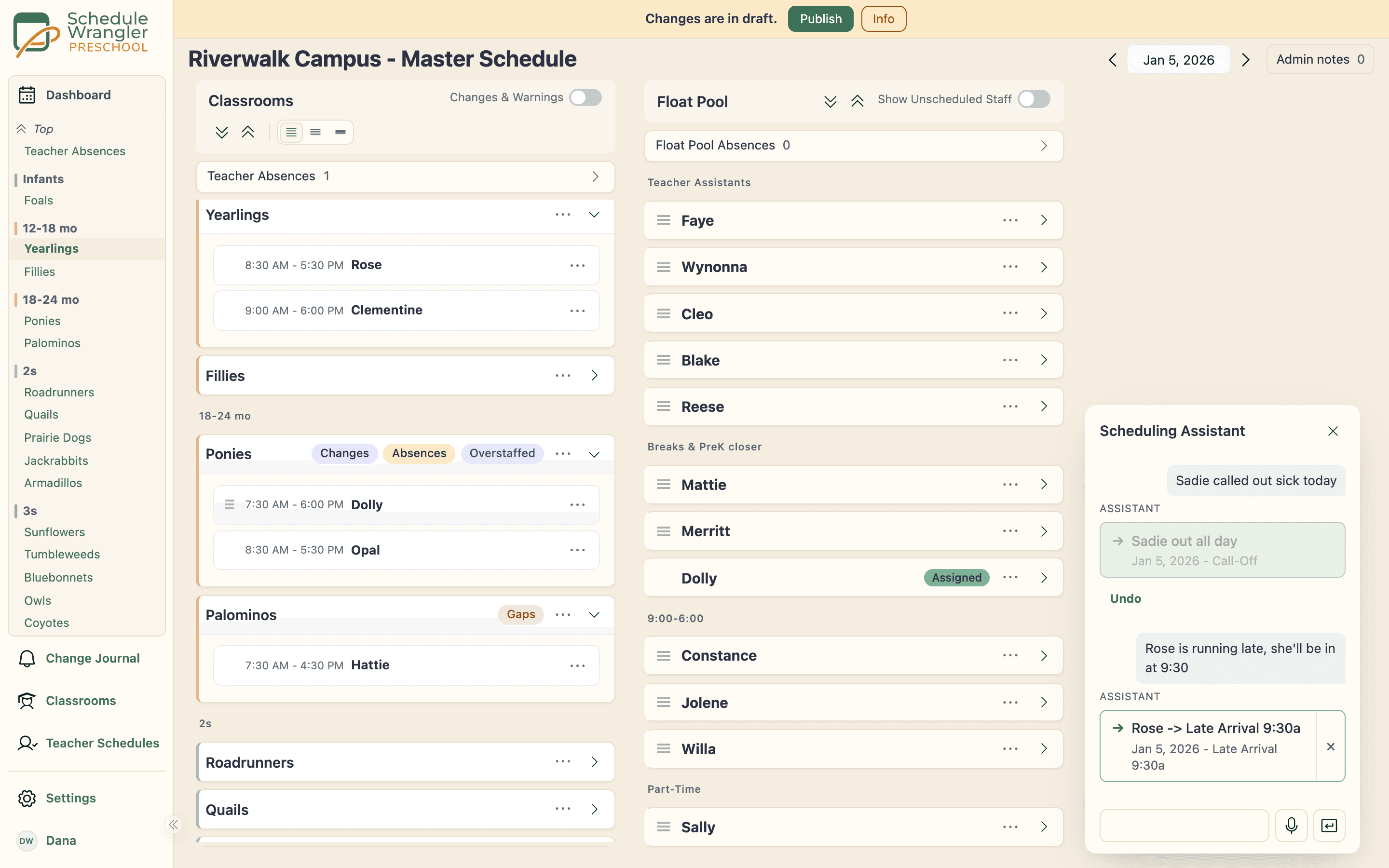
What happens when you type it
The assistant uses an AI model from a third-party provider, as do quick entry and reading a schedule file you upload in your own layout. All three stay off until an administrator at your school turns them on, and any administrator can turn them off again. See what it shares.
Starts at $19/room a month. Predictable to the dollar.
No setup fees. No contracts. The bill scales with rooms, not children.
See Pricing Plans
Every room covered before the doors open.
For the director running the floor, and the classrooms that stay steady because of it. See it on your toughest morning.
Request a Demo